
For parents and caregivers · 1/6
Create the account and your child's access
From the adult's sign-up to the student's first session in four steps, with their own credentials and their own browser.
4 min read

In FocusTutor AI the account always belongs to the adult. You sign up as a parent or caregiver, and from your panel you create each student's profile and access. No minor creates an account alone, and no charge or setting goes through the student's account.
Step 1: your account
Sign up with your e-mail from the home page choosing “I'm a parent or caregiver”. You will see the empty family panel with a first-session guide that walks you through the next three steps.
Step 2: the student's profile
In Settings, “Student accounts”, tap “Add student”: name, age and grade. With that the app already knows at what level to explain. You can have several students depending on your plan.
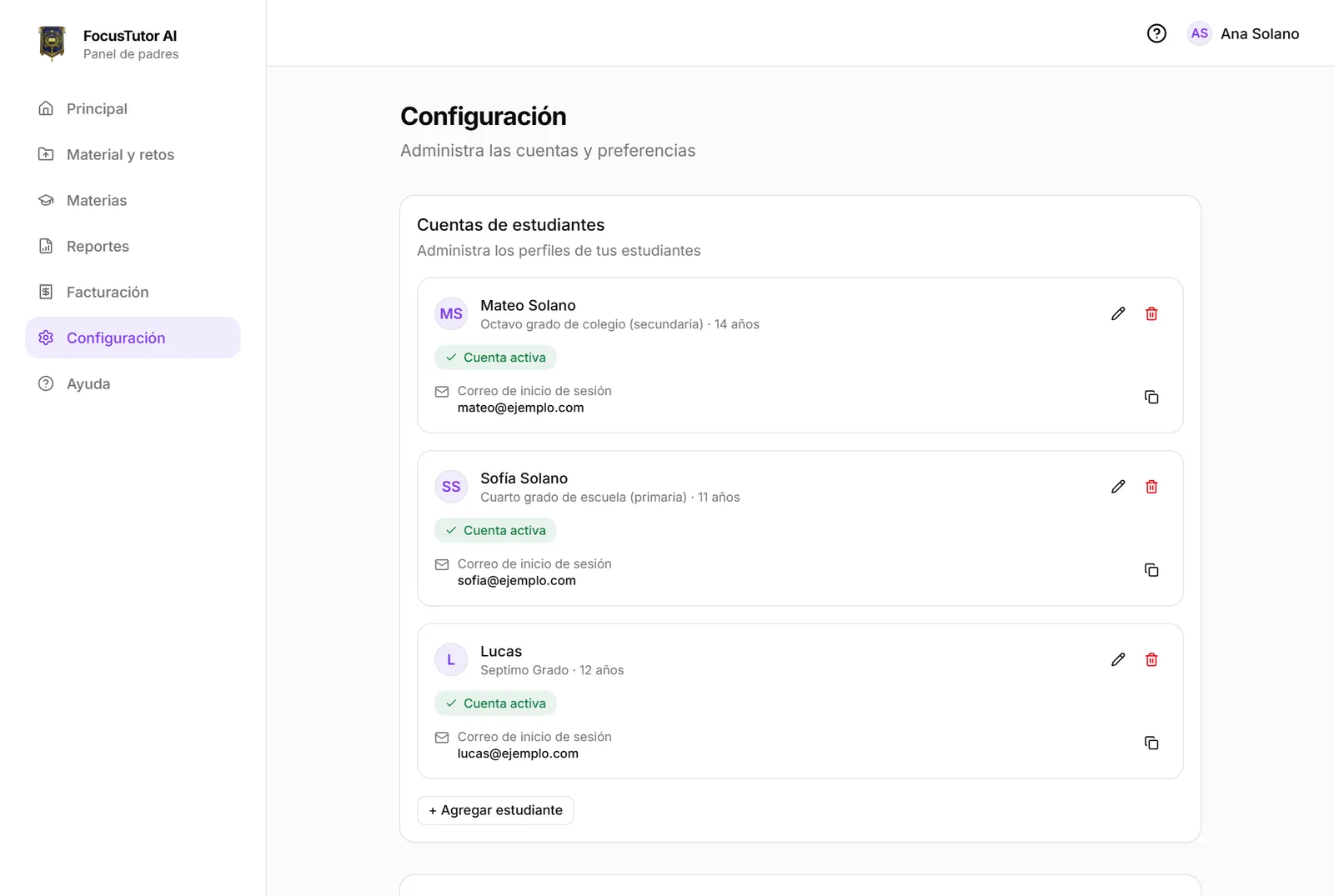
Step 3: create their access
On the student's card, “Create access” asks for an e-mail and a password for them. Those are their credentials: with them they enter their own view, without seeing prices, plans or your settings.
Important: the student must sign in on another browser or on their own device. If they use yours, sign out first. If they forget the password, you reset it from the same card without knowing the old one, and their open sessions are closed.
- 1Tap “Create access” on the student's card.
- 2Enter an e-mail (it can be one you control) and a password of at least 8 characters.
- 3Copy the access link and share it; the student signs in from their device.
Step 4: the first session
With material uploaded (next chapter), the student sees on their Home a big “Study now” button and another for “just 2 minutes” to start without commitment. You will see live on your panel that they are studying: subject and since when. And whenever you want, the full conversation of the session, exactly as it appeared on their screen.
Frequently asked questions
- Can my child create their own account?
- No. Accounts for underage students are always created by an adult. An adult who studies on their own can sign up alone, declaring their date of birth.
- Can another adult see the panel?
- Yes. In Settings, “Other caregivers”, you invite mom, dad, grandparents or tutors by e-mail. They see the panel and reports; they only change limits if you make them co-managers.
Ready to try it?
The free plan includes sessions with Alaric, challenges and the family panel. No card needed.