
For parents and caregivers · 6/6
Minor safety and privacy
What the family sees and does not see, how automatic message review works, safety alerts, and what data is kept.
4 min read

FocusTutor AI is designed for minors, and that defines two rules: an adult is always in the loop, and nothing happens behind the student's back: they know exactly what their family sees.
What the family sees
Progress, activity, materials, challenge results, a two-to-three-line summary per session (what was studied, what was hard) and, if you want, the full conversation of each session with Alaric, exactly as it appeared on their screen. The student knows: the study screen tells them.
Automatic review and alerts
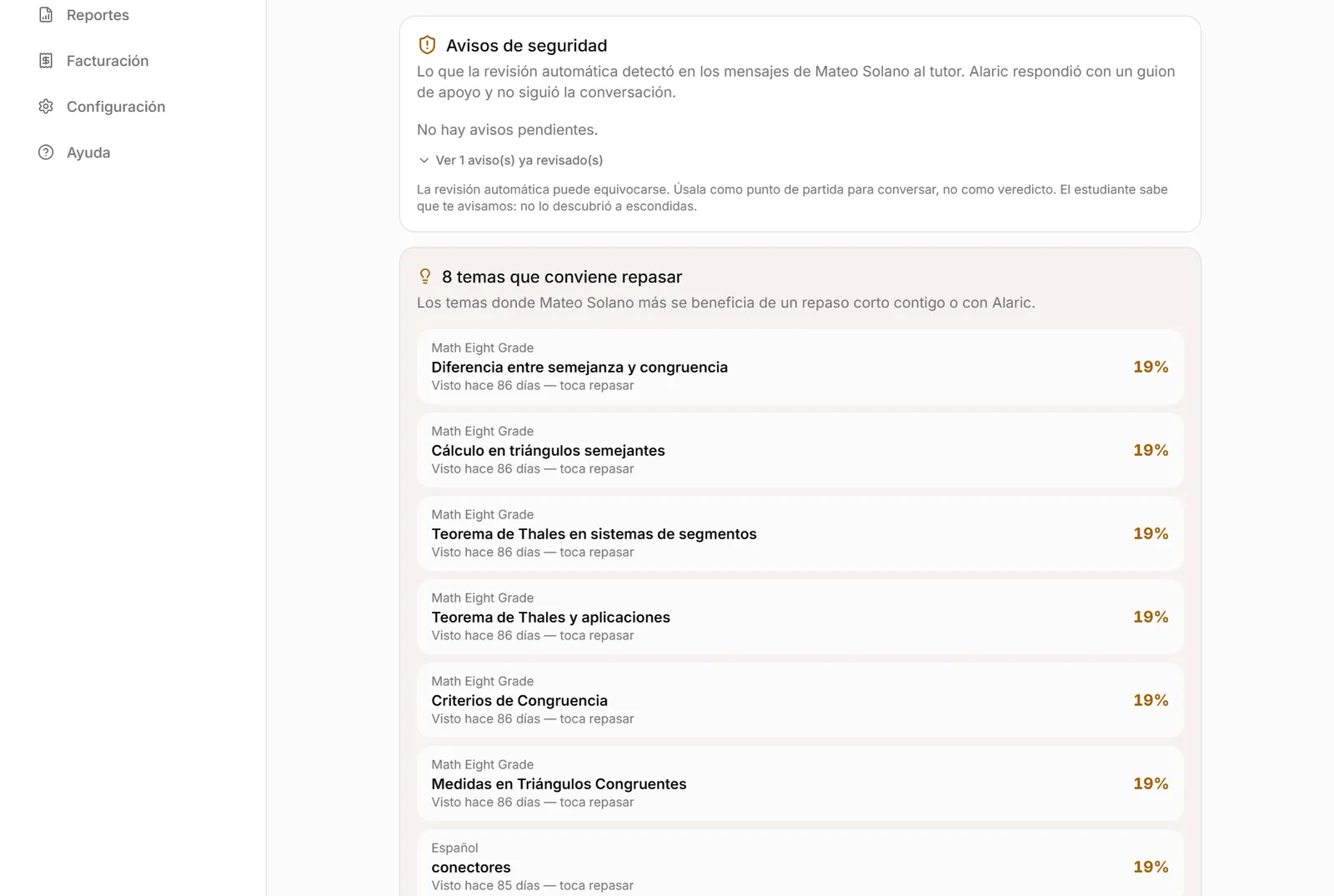
Every message the student writes to the tutor goes through an automatic review. If it detects content related to self-harm, sexual content involving minors or threats, Alaric does not continue the conversation: it answers with a supportive message, asks them to talk to a trusted adult, and tells them their family will receive an alert.
That alert reaches you by e-mail immediately. On the panel it shows as an amber strip at the top of Home and, when you tap it, in “Where to help this week”, with an excerpt of what they wrote and a script on how to bring it up. The review can be wrong: use it as a starting point for a conversation, not as a verdict.
Limits worth knowing. The review is done by an external service (OpenAI moderation) and looks for self-harm, sexual content involving minors and threats; graphic violence and general sexual content are also recorded, but only appear on the panel, with no e-mail. If that service does not respond at that moment, the message goes through unreviewed so the study is not cut short, the failure is logged on our side and, while it lasts, the app generates no images. It is not complete surveillance nor a guarantee: it is a safety net.
Data and control
Material and messages are sent to the AI provider to generate answers, without being used to train models. Files live in a private store. You can reset the student's password at any time, and changing their e-mail requires confirmation from the original address.
The full privacy policy is linked at the bottom of this page; and from the panel, “Report a problem” sends any failure together with the screen where it happened.
Frequently asked questions
- Can I turn off safety alerts?
- No. They are always sent. You can turn off activity alerts (days without studying, low challenge, daily limit).
- What if my child writes something worrying outside study hours?
- The alert is generated at that moment, day or night, and the e-mail goes out immediately.
Ready to try it?
The free plan includes sessions with Alaric, challenges and the family panel. No card needed.