
For parents and caregivers · 5/6
Limits, hours, alerts and permissions
Break mode, maximum daily time, study hours, e-mail alerts, student permissions and co-managing caregivers.
5 min read

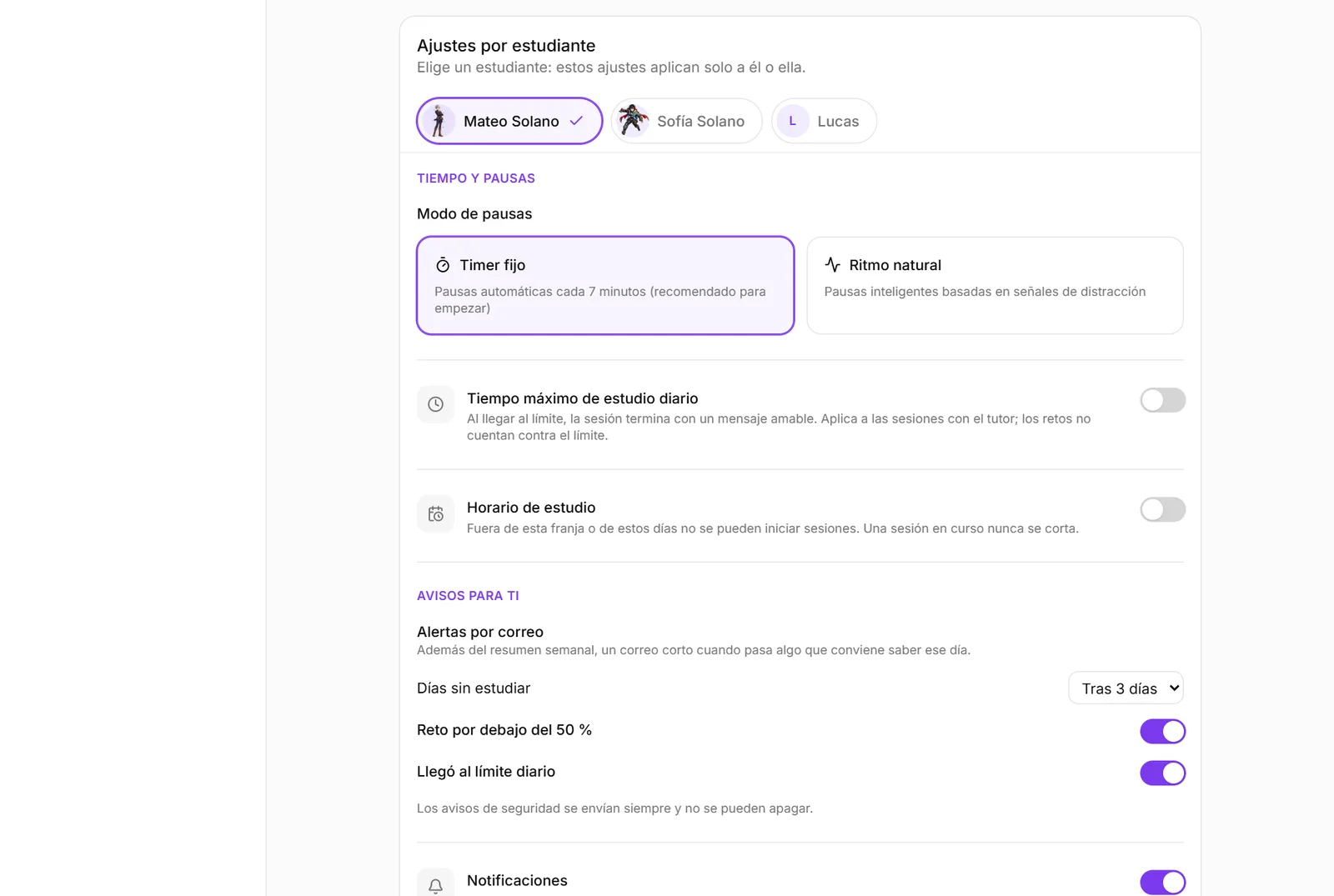
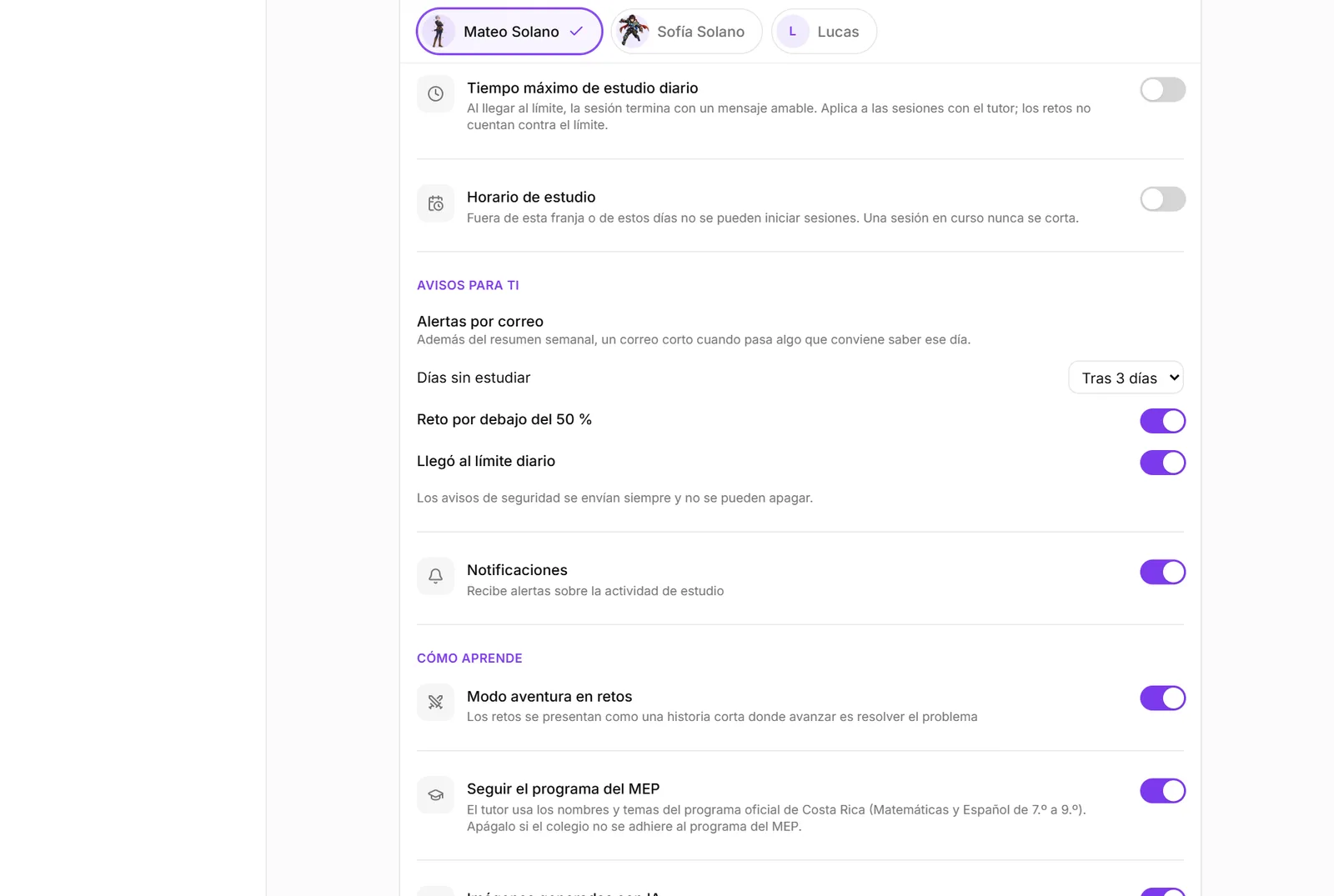
Everything is set per student in Settings, “Per-student settings”, in four groups: time and breaks, alerts for you, how they learn and what they can do. The student picker stays pinned at the top while you scroll, and each change is logged with who made it, so two adults don't step on each other.
Break mode and sensitivity
“Fixed timer” takes a break every 7 minutes: recommended to start, because sustained attention runs out fast and a break before exhaustion prevents quitting. “Natural pace” only pauses when there are distraction signals; sensitivity decides how soon.
Maximum daily time and hours
The maximum time (15 to 180 minutes) ends the session with a kind message when the limit is reached. It applies to tutor sessions; challenges, which are short, do not count against it.
Study hours set a window and days. Outside them no session can start; a session in progress is never cut off. For a teenager, knowing when it is study time removes more arguments than how many minutes.
Student permissions
Under “What they can do”, three switches: upload their own material, open free sessions without material, and archive challenges. The first two are off by default: you decide when to give autonomy.
“Voice dictation” has two options: type only (as today) or dictate in content subjects. What makes learning stick is putting the answer in their own words, not typing it; dictating removes the load of writing, which with ADHD or dysgraphia eats the attention. Dictated text lands in the text box and your child reviews it before sending: the microphone never sends on its own. In Spanish, English, French and German, writing is the skill (spelling and how they build sentences), so there they always type. The audio never goes through FocusTutor AI: it is processed by the browser maker (Chrome: Google; Edge: Microsoft; Safari: Apple) under its own privacy policy. We ask you to confirm before it switches on.
“Read it out loud” in languages is another switch, off by default: after writing and checking an answer in Spanish, English, French or German, your child can read the correct sentence out loud and see which words were understood; in the language chat, Alaric proposes phrases to read. It is not a grade and does not judge a fine accent: it says which words were understood and which to repeat. In “How their attention is going” you see how many times they practiced and how many words were understood.
Other caregivers
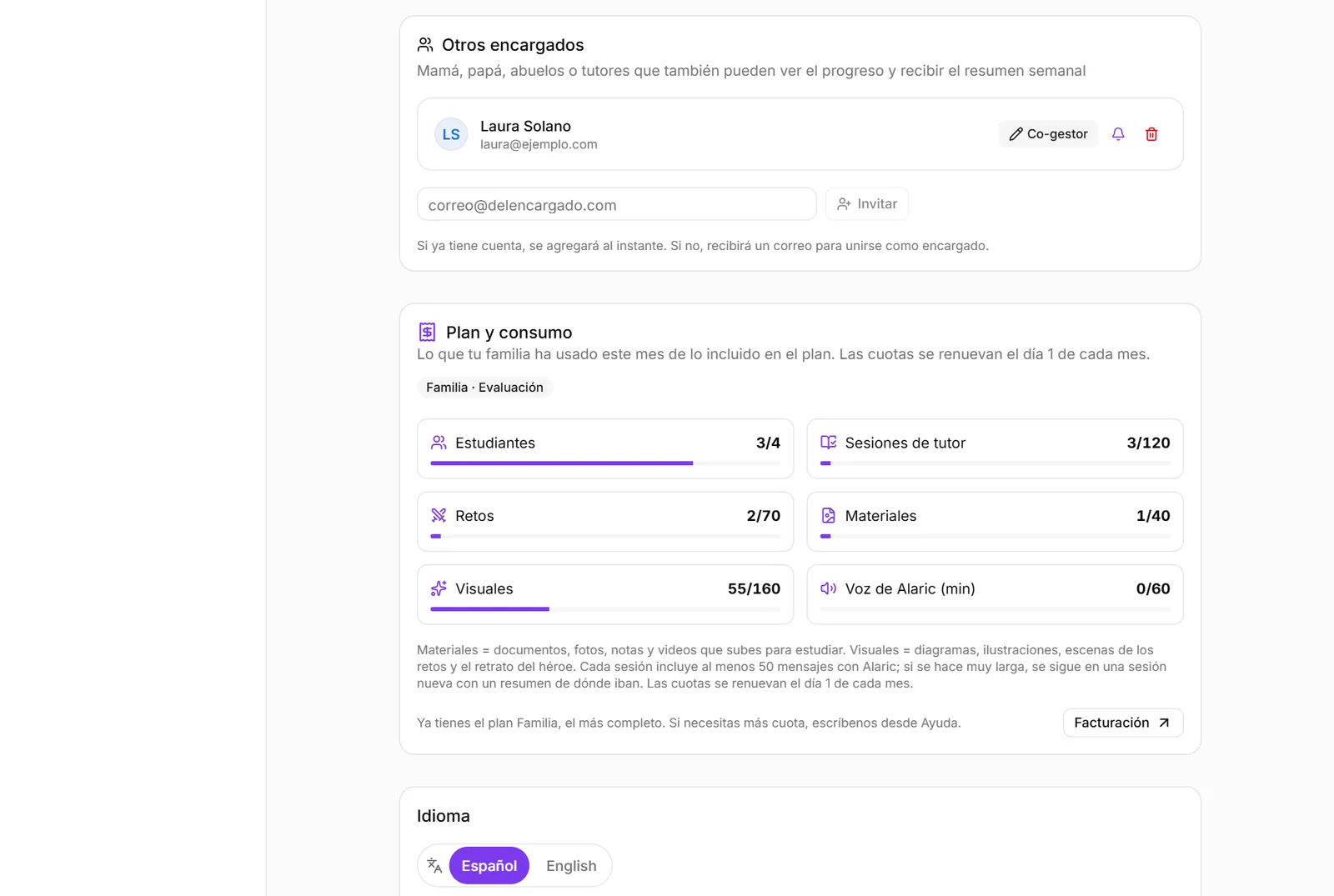
Invite another adult by e-mail. By default they are read-only: they see the panel, reports and alerts but do not change settings. One tap makes them a co-manager. The weekly summary reaches them if you turn on the bell.
Ready to try it?
The free plan includes sessions with Alaric, challenges and the family panel. No card needed.