
For parents and caregivers · 4/6
Reports, “how to help” and e-mails
The weekly and monthly report, the section with what to do and what to say, the save-as-PDF button, and the e-mails you can turn on.
4 min read

Reports are written to talk with your child, not to grade them: they always start with progress. The level of detail depends on the plan; on all of them you see minutes, active days and challenges.
At the top, the period's figures and the trend in one panel; then the summary, what to do this week and the topics. Long parts show a preview: “Read full summary” and “Show more” open the rest in place.
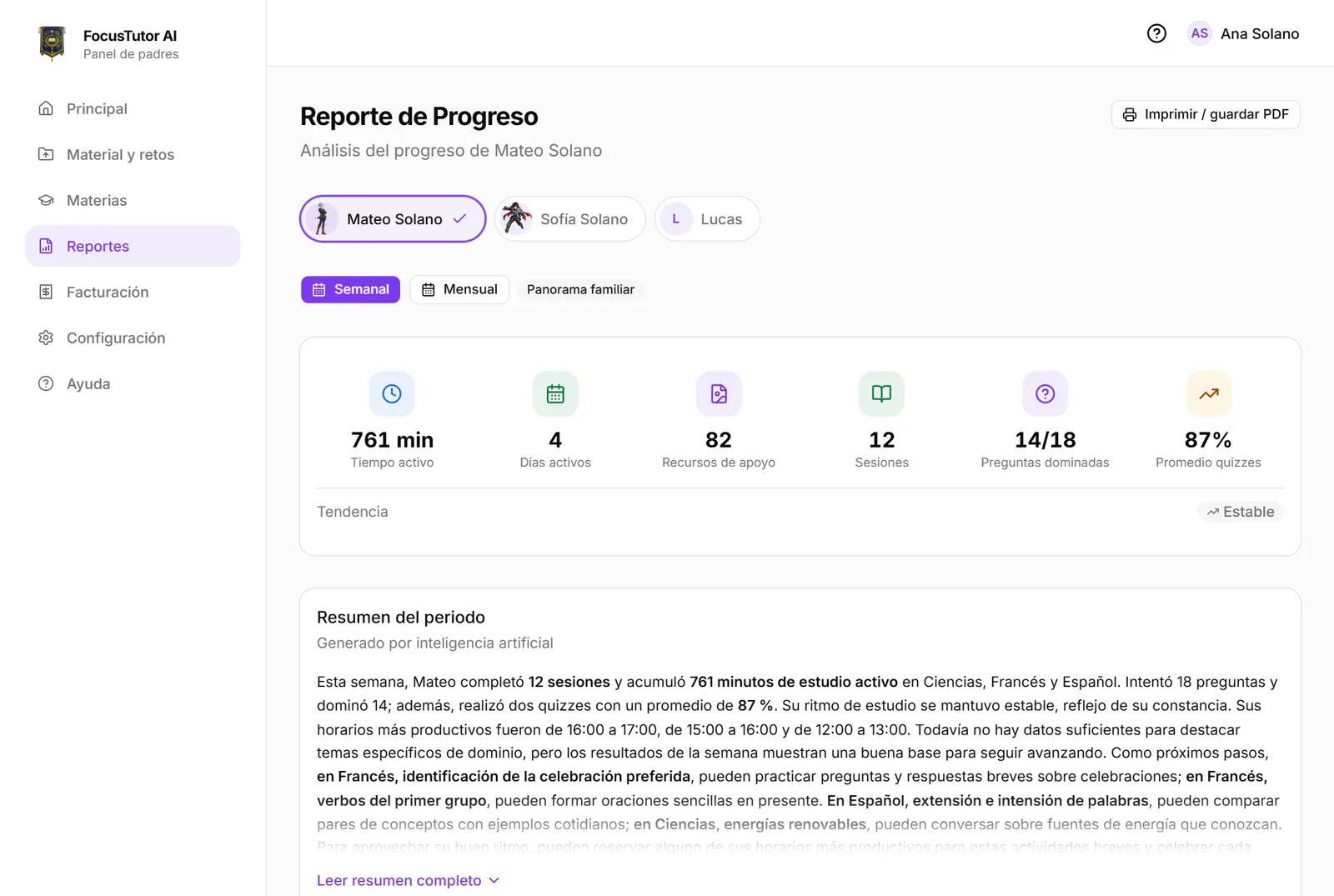
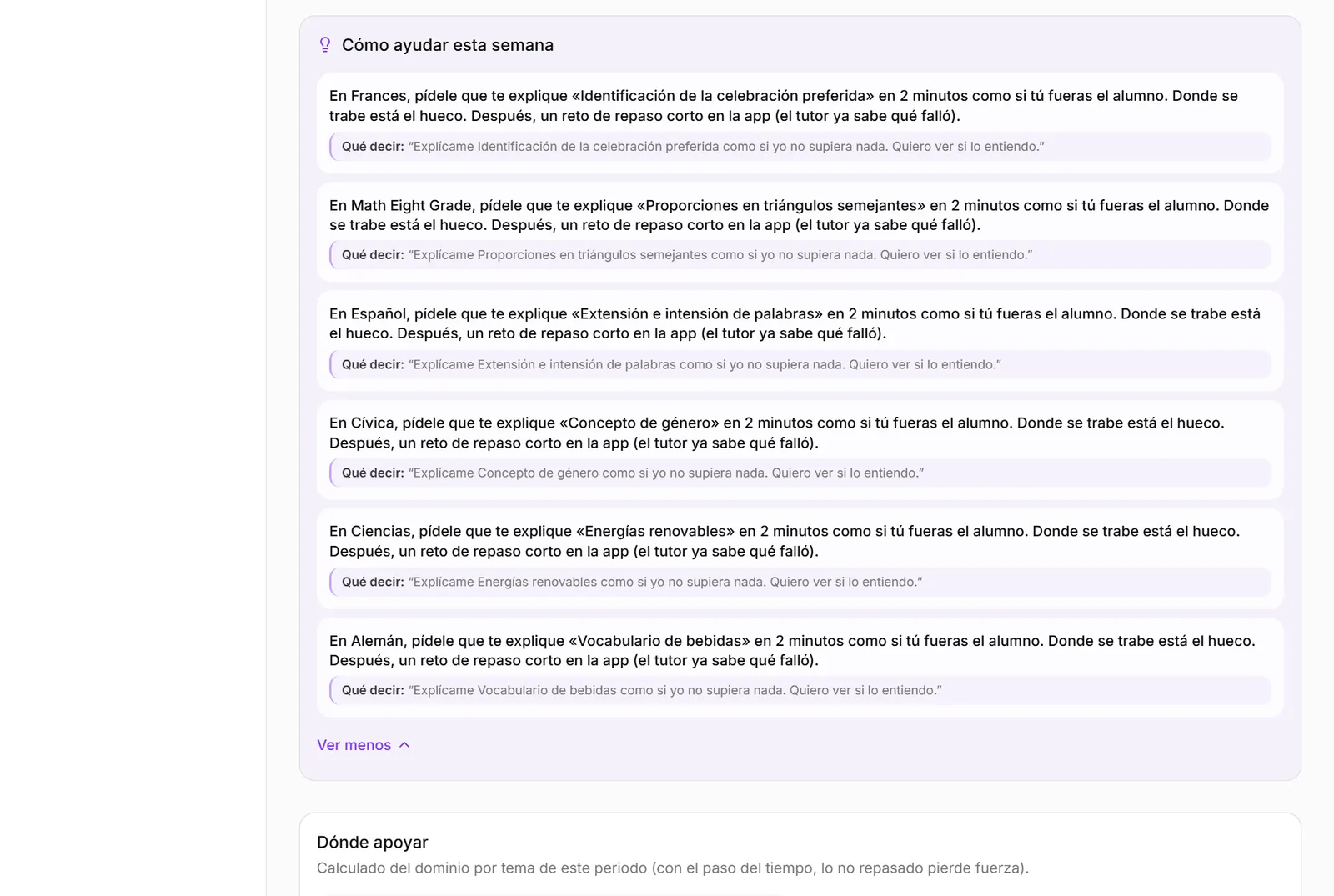
“How to help this week”
For each subject with difficult topics, the report suggests one concrete action and one thing to say. For example: “In Science, ask them to explain Renewable energy to you in two minutes as if you were the student” and what to say: “Explain renewable energy to me as if I knew nothing.”
Save as PDF
The “Print / save as PDF” button, next to the title, opens the browser's print view without the sidebar or controls, and with everything expanded even if it is collapsed on screen. Useful for taking the report to school or to a specialist.
E-mails
Every Sunday a weekly summary arrives per student. In addition, in Settings you can turn on same-day alerts: several days without studying, a challenge under 50%, and the daily limit reached. Each e-mail carries a single thing to do.
Safety alerts (chapter 6) are always sent and cannot be turned off.
Ready to try it?
The free plan includes sessions with Alaric, challenges and the family panel. No card needed.